blaze tracker
The Ultimate File Sharing Experience

|
blaze tracker
The Ultimate File Sharing Experience
|
|
| Login / Signup | ||||||||||||||||||||||||||||||||||||||||||||||||||||||||||||||||||||||||||||||||||||||||||||||||
FAQ
User information - |
|
One possible reason may be that the network around the tracker has encountered some problems. You can use this form ask the tracker to resend confirmation e-mail.
Typically registered users would be deleted after 24 hours if not confirmed, so you may try again the next day. Note though that if you didn't receive the email the first time it will probably not succeed the second time either so you should really try another email address. Please use this form to have the login details mailed back to you.
No, we do not rename accounts. Don't ask for it.
No, we don't delete accounts. Don't ask for it.
It's on the left-top of pages.
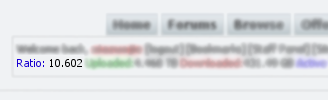
It's important to distinguish between your overall ratio and the individual ratio on each torrent you may be seeding or leeching. The overall ratio takes into account the total uploaded and downloaded from your account since you joined the site. The individual ratio takes into account those values for each torrent. You may see two symbols instead of a number: "Inf.", which is just an abbreviation for Infinity, and means that you have downloaded 0 bytes while uploading a non-zero amount (ul/dl becomes infinity); "---", which should be read as "non-available", and shows up when you have both downloaded and uploaded 0 bytes (ul/dl = 0/0 which is an indeterminate amount). Only you and the site moderators can view your IP address and email. Regular users do not see that information.
The tracker has determined that you are firewalled or NATed and cannot accept incoming connections.
This means that other peers in the swarm will be unable to connect to you, only you to them. Even worse, if two peers are both in this state they will not be able to connect at all. This has obviously a detrimental effect on the overall speed. The way to solve the problem involves opening the ports used for incoming connections (the same range you defined in your client) on the firewall and/or configuring your NAT server to use a basic form of NAT for that range instead of NAPT (the actual process differs widely between different router models. Check your router documentation and/or support forum. You will also find lots of information on the subject at PortForward).
There is a users limit (it is list at Home -> Tracker Statistics -> Limit). When that number is reached we stop accepting new members. Accounts inactive (i.e. not logged in for a long time) are automatically deleted, so keep trying.
When are inactive user accounts deleted? See Rules First, find an image that you like, and that is within the rules. Then you will have to find a place to host it, such as our own BitBucket. To lighten tracker's load, we recommend you upload it to other websites and copy the URL you were given when uploading it to the Avatar URL field in UserCP.
Please do not make a post just to test your avatar. If everything is all right you'll see it in your details page. |

If for some reason (e.g. PC crash, or frozen client) your client exits improperly and you restart it, it will have a new peer_id, so it will show as a new torrent. The old one will never receive a "event=completed" or "event=stopped" and will be listed until some tracker timeout. Just ignore it, it will eventually go away.
Some clients, notably TorrentStorm and Nova Torrent, do not report properly to the tracker when canceling or finishing a torrent. In that case the tracker will keep waiting for some message - and thus listing the torrent as seeding or leeching - until some timeout occurs. Just ignore it, it will eventually go away.
Yes, the tracker is capable of following sessions from different IPs for the same user. You may access the site and seed/leech simultaneously from as many computers as you want with the same account.
However, there is a limit for a single torrent. Per torrent 3 simultaneous connections are permitted per user, and in case of leeching only 1, which means you can leech a torrent from one location only at a time. |
|
Uploading has four steps. The third one is the one people miss, and skipping it is why a torrent sits there doing nothing.
1. Create the torrent file. In your client, create a new torrent from the file or folder you want to share, and set the tracker (announce) address to: https://blazetracker.brothersoft.me/announce.php Tick private torrent. Everything else can be left alone — the piece size is fine on automatic. 2. Upload it here. Go to Upload, choose the .torrent file you just made, fill in the name, description and category, and send it. 3. Download the torrent back from us. Open your torrent's details page and download the .torrent file again, from here. This step is not optional. The copy we hand back has your personal passkey in it, and that passkey is the only thing that tells the tracker who you are. The copy sitting on your own disk does not have it, so if you use that one your client will announce as a stranger and you will never be credited. There is a second reason. When you upload, we stamp a source tag into the torrent. That changes its identity, which means the file you made and the file we store are two different torrents as far as your client is concerned. Only our copy matches what the tracker is tracking. 4. Seed it. Open our copy in your client, and when it asks where to save it, point it at the folder that already contains the file you are sharing. Do not let it begin an empty download somewhere else. If your client is set to create a subfolder for every torrent, turn that off first, otherwise it will go looking for your file inside a folder that does not exist. It should then show 100% and start seeding. If it does not, tell your client to force a re-check of the files. When it goes wrong
Before you upload anything, have a look to see whether it is already here. Two copies of the same thing help nobody, and the tracker will refuse the second one anyway. There are three reasons this happens, and they are all shown to you when you try.
You must:
Remember! Write your application carefully! Be sure to include your upload speed and what kind of stuff you're planning to upload. Only well written letters with serious intent will be considered. No. We are a closed, limited-membership community. Only registered users can use the tracker. Posting our torrents on other trackers is useless, since most people who attempt to download them will be unable to connect with us. This generates a lot of frustration and bad-will against us, and will therefore not be tolerated.
Complaints from other sites' administrative staff about our torrents being posted on their sites will result in the banning of the users responsible. However, the files you download from us are yours to do as you please (except those marked as EXCLUSIVE by the uploader). You can always create another torrent, pointing to some other tracker, and upload it to the site of your choice. |
|
Most of what you download here plays or runs on its own. The two things that catch people out are archives and disc images.
Whatever you do with the files, keep seeding. Deleting a torrent the moment it finishes is how you end up with a ratio you cannot recover from. Those letters tell you where the copy came from, which is really a warning about how good it is going to look. Roughly worst to best:
There is a fuller breakdown, including the resolution and encoding tags, in this guide. No. According to tests of common bittorrent clients by NexusPHP, we allowed only the following bittorrent clients.
The test report by NexusPHP is here. Windows:
Support for https:
Please do not use any beta or testing version of bittorrent clients, e.g. uTorrent 1.8.0B. To get the best downloading experience, we highly recommend latest stable version of uTorrent and Azureus. There may be three reasons for this:
(1) The torrent may have been against the site rules. (2) The uploader may have deleted it because it was a bad release. A replacement will probably be uploaded to take its place. (3) Torrents are automatically deleted after being dead for a long time. Open the .torrent file. When your client asks you for a location, choose the location of the existing file(s) and it will resume/reseed the torrent.
The more pieces you have, the harder it becomes to find peers who have pieces you are missing. That is why downloads sometimes slow down or even stall when there are just a few percent remaining. Just be patient and you will, sooner or later, get the remaining pieces.
Bittorrent clients check the data they receive for integrity. When a piece fails this check it is automatically re-downloaded. Occasional hash fails are a common occurrence, and you shouldn't worry.
Some clients have an (advanced) option/preference to 'kick/ban clients that send you bad data' or similar. It should be turned on, since it makes sure that if a peer repeatedly sends you pieces that fail the hash check it will be ignored in the future. See the hash fails topic. If your client receives bad data it will have to re-download it, therefore the total downloaded may be larger than the torrent size. Make sure the "kick/ban" option is turned on to minimize the extra downloads.
Your client is reporting to the tracker that it uses one of the default bittorrent ports (6881-6889) or any other common p2p port for incoming connections.
We does not allow clients to use ports commonly associated with p2p protocols. The reason for this is that it is a common practice for ISPs to throttle those ports (that is, limit the bandwidth, hence the speed). The blocked ports list include the following:
In order to use our tracker you must configure your client to use any port range that does not contain those ports (a range within the region 49152 through 65535 is preferable, cf. IANA). Notice that some clients, like Azureus 2.0.7.0 or higher, use a single port for all torrents, while most others use one port per open torrent. The size of the range you choose should take this into account (typically less than 10 ports wide. There is no benefit whatsoever in choosing a wide range, and there are possible security implications). These ports are used for connections between peers, not client to tracker. Therefore this change will not interfere with your ability to use other trackers (in fact it should increase your speed with torrents from any tracker, not just ours). Your client will also still be able to connect to peers that are using the standard ports. If your client does not allow custom ports to be used, you will have to switch to one that does. Do not ask us, or in the forums, which ports you should choose. The more random the choice is the harder it will be for ISPs to catch on to us and start limiting speeds on the ports we use. If we simply define another range ISPs will start throttling that range also. Finally, remember to forward the chosen ports in your router and/or open them in your firewall, should you have them. If you just want to fix it reboot your computer, it should solve the problem. Otherwise read on.
IOError means Input-Output Error, and that is a file system error, not a tracker one. It shows up when your client is for some reason unable to open the partially downloaded torrent files. The most common cause is two instances of the client to be running simultaneously: the last time the client was closed it somehow didn't really close but kept running in the background, and is therefore still locking the files, making it impossible for the new instance to open them. A more uncommon occurrence is a corrupted FAT. A crash may result in corruption that makes the partially downloaded files unreadable, and the error ensues. Running scandisk should solve the problem. (Note that this may happen only if you're running Windows 9x - which only support FAT - or NT/2000/XP with FAT formatted hard drives. NTFS is much more robust and should never permit this problem.) The passkey system is implemented to verify if you are registered with the tracker. Every user has a personal passkey, a random key generated by the system. When a user tries to download a torrent, his personal passkey is imprinted in the tracker URL of the torrent, allowing to the tracker to identify any source connected on it. In this way, you can seed a torrent for example, at home and at your office simultaneously without any problem with the 2 different IPs.
You will get this error, firstly if you are not registered on our tracker, or if you haven't downloaded the torrent to use from our webpage, when you were logged in. In this case, just register or log in and re-download the torrent.
There is a chance to get this error also, at the first time you download anything as a new user, or at the first download after you reset your passkey. The reason is simply that the tracker reviews the changes in the passkeys every few minutes and not instantly. For that reason just leave the torrent running for a few minutes, and you will get eventually an OK message from the tracker.
DHT must be disabled in your client. DHT can cause your stats to be recorded incorrectly and could be seen as cheating. Anyone using this will be banned for cheating the system.
Fortunately, this tracker would parse uploaded .torrent files and automatically disable DHT. That's why you must re-downloaded the torrent before starting seeding. Most possible reason is that the file system of your disk partitions is FAT32, which has a maximum file size limit of 4 GB. If your operation system is Windows, consider converting file system to NTFS. Check here for details.
|
|
The download speed mostly depends on the seeder-to-leecher ratio (SLR). Poor download speed is mainly a problem with new and very popular torrents where the SLR is low.
(Note: make sure you remember that you did not enjoy the low speed. Seed so that others will not endure the same.) In particular, do not do it if you have a slow connection. The best speeds will be found around the half-life of a torrent, when the SLR will be at its highest. (The downside is that you will not be able to seed so much. It's up to you to balance the pros and cons of this.) The upload speed affects the download speed in essentially two ways:
If you are running more than one instance of a client it is the overall upload speed that you must take into account. Some clients limit global upload speed, others do it on a per torrent basis. Know your client. The same applies if you are using your connection for anything else (e.g. browsing or ftp), always think of the overall upload speed. Some operating systems (like Windows 9x) do not deal well with a large number of connections, and may even crash. Also some home routers (particularly when running NAT and/or firewall with stateful inspection services) tend to become slow or crash when having to deal with too many connections. There are no fixed values for this, you may try 60 or 100 and experiment with the value. Note that these numbers are additive, if you have two instances of a client running the numbers add up.
Isn't this the same as above? No. Connections limit the number of peers your client is talking to and/or downloading from. Uploads limit the number of peers your client is actually uploading to. The ideal number is typically much lower than the number of connections, and highly dependent on your (physical) connection.
As explained above peers favour other peers that upload to them. When you start leeching a new torrent you have nothing to offer to other peers and they will tend to ignore you. This makes the starts slow, in particular if, by chance, the peers you are connected to include few or no seeders. The download speed should increase as soon as you have some pieces to share.
Your download speed is always finite. If you are a peer in a fast torrent it will almost certainly saturate your download bandwidth, and your browsing will suffer. Many clients allows you to limit the download speed and try it.
Browsing was used just as an example, the same would apply to gaming, IMing, etc... |
|
Basically a middleman. When you are browsing a site through a proxy your requests are sent to the proxy and the proxy forwards them to the site instead of you connecting directly to the site. There are several classifications (the terminology is far from standard):
A transparent proxy may or may not be anonymous, and there are several levels of anonymity. Try ProxyJudge. It lists the HTTP headers that the server where it is running received from you. The relevant ones are HTTP_CLIENT_IP, HTTP_X_FORWARDED_FOR and REMOTE_ADDR.
The tracker is quite smart at finding your real IP, but it does need the proxy to send the HTTP header HTTP_X_FORWARDED_FOR. If your ISP's proxy does not then what happens is that the tracker will interpret the proxy's IP address as the client's IP address. So when you login and the tracker tries to connect to your client to see if you are NAT/firewalled it will actually try to connect to the proxy on the port your client reports to be using for incoming connections. Naturally the proxy will not be listening on that port, the connection will fail and the tracker will think you are NAT/firewalled.
|
|
The site keeps a list of blocked IP addresses for banned users or attackers. This works at Apache/PHP level, and only blocks logins from those addresses. It should not stop you from reaching the site. In particular it does not block lower level protocols, you should be able to ping/traceroute the server even if your address is blacklisted. If you cannot then the reason for the problem lies elsewhere.
If somehow your address is blocked by mistake, contact us about it. (In first place, it's unlikely your ISP is doing so. DNS name resolution and/or network problems are the usual culprits.)
There's nothing we can do. You should contact your ISP (or get a new one). Note that you can still visit the site via a proxy, follow the instructions in the relevant section. In this case it doesn't matter if the proxy is anonymous or not, or which port it listens to. Notice that you will always be listed as an "unconnectable" client because the tracker will be unable to check that you're capable of accepting incoming connections. |
|
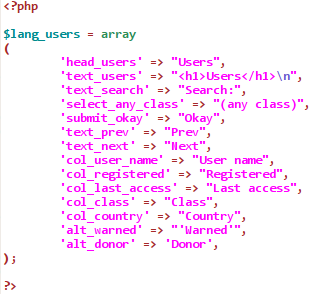
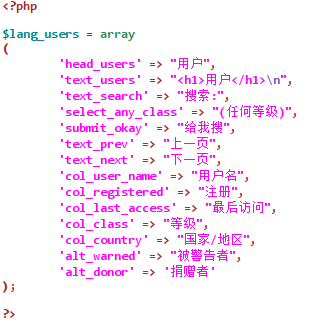
Translate the site into another language is quite easy. You needn't be skilled in PHP or dynamic website design. In fact, all you need is proficient understanding of English (the default site language) and the language you plan to translate into. Maybe some basic knowledge in HTML would help.
Moreover, we give a detailed tutorial on how to do the translation HERE. And our coders would be more than pleased to answer the questions you may encounter. Translate the whole site into another language would take estimated 10 hours. And extra time is needed to maintain the translation when site code is updated. So, if you think you could help, feel free to CONTACT US. Needless to say, you would be rewarded.
|
|
Post in the Forums, by all means. You'll find they are usually a friendly and helpful place, provided you follow a few basic guidelines:
|